In this article
Illustrative photo by Walls.io / Unsplash.
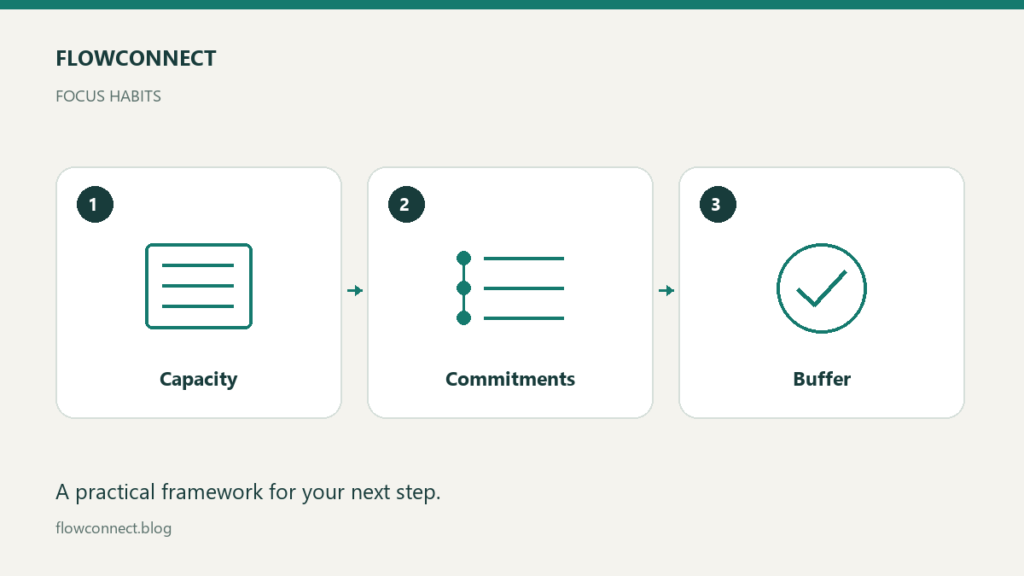
A workable weekly plan starts with available capacity rather than a list of everything you hope to finish. Identify fixed commitments, choose a small set of outcomes and leave some unallocated time for uncertainty. The right amount of buffer depends on the kind of work and interruptions you actually encounter.
This is a planning method, not medical advice or a promise of higher performance. Adapt it to your responsibilities and circumstances.
Calculate the time that is really available
Begin with the hours you intend to work. Subtract meetings, routine administration, travel and other known commitments. Do not count the same hour as both client delivery and uninterrupted project time.
Here is an illustrative calculation: a 30-hour workweek minus six hours of meetings and four hours of routine administration leaves 20 hours. If you choose to leave four of those hours unallocated, you have 16 hours to plan against. Those numbers are an example, not a recommended schedule or universal buffer percentage.
Choose outcomes before filling the calendar
Write down what needs to be completed by the end of the week. “Send the agreed proposal” is an outcome; “work on sales” is an area of activity. If the outcomes exceed your capacity, change the commitments before arranging them into attractive calendar blocks.
Separate essential commitments from optional improvements. A useful optional list lets you use unexpected space without treating every unfinished idea as a broken promise.
Match blocks to the work
Some tasks need sustained attention; others can be handled between appointments. Group similar administrative tasks where that fits your situation, and protect a realistic block for work that is difficult to resume after an interruption.
Define the first action before the block starts. “Review the client’s comments and identify unresolved decisions” is easier to begin than “project work.” Keep the necessary files accessible so the block does not disappear into searching for context.
Decide how you will handle disruption
When an urgent request arrives, ask what must move to make room. Record the decision and communicate changes to anyone affected. Quietly adding urgent work on top of a full schedule hides the trade-off until a deadline is missed.
If your work regularly involves unpredictable support, plan from observed demand rather than treating every interruption as exceptional. A buffer cannot compensate for a permanently unrealistic workload.
Set a stopping point
At the end of the day, record unfinished work and its next action. Check whether tomorrow’s first commitment still makes sense. This gives you a place to resume without requiring you to finish every task before stopping.
An end-of-day note can be only three lines: what moved forward, what is blocked and where to start tomorrow. Keep the process brief enough that it does not become another substantial task.
Review what the plan taught you
Compare estimates with actual work at the end of the week. Which tasks were larger than expected? Which interruptions repeated? Was the unallocated time useful? Use those observations to adjust next week’s commitments.
Avoid treating a disrupted week as a personal failure. The plan is a working hypothesis about capacity. Its value comes from helping you make clear choices and communicate trade-offs when circumstances change.